
How to Write a Post-Appointment Message That Gets a Google Review
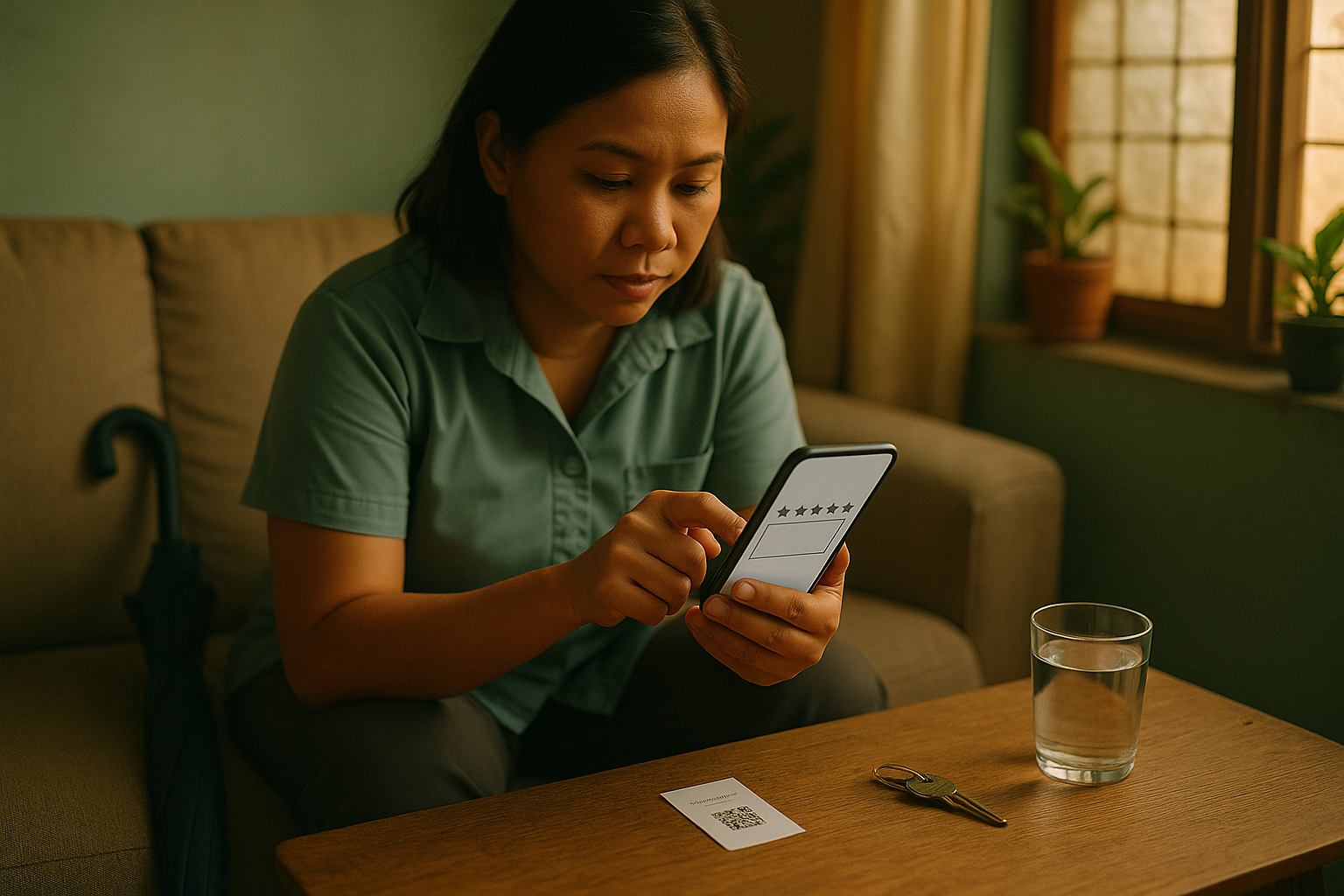
Ms Reyes finishes her cleaning at Smile & Skin Clinic at 3:40 PM. On her way out, Jen at the front desk asks, "Ma'am, pa-review naman po kami sa Google?" Ms Reyes says "Sige po!" and she means it.
Then she pays, finds her umbrella and gets on a jeep. To write that review she'd have to open Google Maps, search for the clinic, pick the right listing, find the button and sign in. She doesn't get around to it that night, and by the weekend she's forgotten.
She was willing all along. She just never got a text that evening with a link straight to the review box, which would have made it a one-minute job instead of five.
That text is easy to get right once you know four things: what to put in it, when to send it, which link actually reaches a Philippine phone, and what Google stopped allowing in April 2026.
The short answer
A post-appointment message that gets reviews:
- comes from a name she recognises, with the clinic's name at the start of the text
- arrives the same evening, between about 6 and 8 PM, and never after 9
- thanks her for this visit, not "your recent visit"
- asks once, with one link that opens Google's review form
- asks for nothing else: no star rating, no staff names, no discount, no reply
Here's one that does all five, sent under the clinic's registered sender name, SmileSkin:
Smile & Skin Clinic: Thank you for your cleaning today, Ms Reyes. A Google review helps other patients find us: [your Google review link]
That's 112 characters before the link. Google's own review link is about 39, so the whole thing fits in one 160-character text.
Why asking at the counter isn't enough
Keep asking in person. It's how she finds out a text is coming, and it tells her you actually want to hear from her. But the counter is the worst place for her to write anything.
She's paying, someone's waiting behind her, and a review needs her signed in to a Google account, which is easier on her own phone at home. Google's policy also says businesses "should not require or pressure users to leave ratings or write reviews while on the premises." You can ask at the counter. You can't stand there while she types.
The yes is usually sincere. In BrightLocal's 2025 survey of US consumers, 96% said they were open to writing a business a review, and 29% had actually written one in the past year (BrightLocal, 2025). That's American data, so don't lean on the exact numbers. But anyone who's said "pa-review naman po" at a front desk will know that gap. Closing it is what the evening text is for.
The message, line by line
| Line | Its job | What goes wrong without it |
|---|---|---|
| "Smile & Skin Clinic:" | Tells her who it's from before she decides it's spam | A text from a sender name she half recognises gets skimmed and deleted |
| "Thank you for your cleaning today, Ms Reyes" | Shows it's about her visit, from someone who knows why she came in | "Thank you for your recent visit" reads like a blast to every patient on file |
| "A Google review helps other patients find us" | Gives her a reason that's about other patients, not your star rating | "Please give us 5 stars" tries to set the rating, which Google forbids |
| The link | Opens the review form itself | A link to your Maps listing makes her scroll, find "Write a review" and tap it, and some won't |
What it leaves out is just as deliberate:
- A star rating. Asking for five stars is "attempting to influence the rating", in Google's words.
- Staff names. "Please mention the dentist who treated you" is now explicitly against the rules. More on that below.
- A discount, a freebie or a raffle entry. Also against the rules, and Google can take down reviews bought that way.
- "Reply to this message." If your texts go out under a sender name, a reply goes nowhere and neither of you finds out.
- A second link. Facebook, a feedback form, your website. Each extra link is one more way to leave without doing any of them.
Templates you can copy
Every text below sticks to the standard SMS alphabet, GSM-7. That means straight apostrophes, no peso sign and no emoji. A single curly quote or emoji switches the whole text to an encoding that fits 70 characters, and the 151-character text below would bill as three. The counts are for the words before the link. Google's short link adds about 39.
Same evening, English (112 characters, 151 with the link)
Smile & Skin Clinic: Thank you for your cleaning today, Ms Reyes. A Google review helps other patients find us: [your Google review link]
Same evening, Taglish (121 characters, 160 with the link)
Smile & Skin Clinic: Salamat po sa pagbisita kanina, Ms Reyes! Kung may time po kayo, pa-review naman po kami sa Google: [your Google review link]
To a parent after a child's visit (116 characters, 155 with the link)
Smile & Skin Clinic: Thanks for bringing your child in today, Mrs Dela Cruz. A Google review helps parents find us: [your Google review link]
The review comes from the parent's Google account, so write to the parent.
The morning after an extraction (116 characters, 155 with the link)
Smile & Skin Clinic: Good morning, Mr Cruz. Hope you feel better. If you have a minute, please review us on Google: [your Google review link]
It doesn't name the procedure. A text sits on a lock screen where anyone in the house can read it, and most people don't mind "cleaning" showing up there. Some would rather the family didn't read about a tooth coming out.
When a long treatment finishes (121 characters, 160 with the link)
Smile & Skin Clinic: Congratulations on finishing your braces, Mr Lim! If you have a minute, please review us on Google: [your Google review link]
If your system fills in names automatically, test it with your longest one. Ms Ma. Cristina Villanueva-Sandoval turns the first template into 178 characters, which bills as two texts. Let it. An extra text costs less than cutting the thank-you.
On Messenger, the same day she messaged you
Messenger has no character count to worry about and no carrier filter, so this one can be warmer:
Salamat po sa pagbisita kanina, Ms Reyes! If you have a minute, would you leave us a review on Google? It helps other patients find us. This link opens the review form directly: [your Google review link]
The catch is that Meta limits when you can send it. More on that below.
Which link to use, and why you test it first
Google gives you a review link from your Business Profile. Open the profile, choose Read reviews, then Get more reviews, and copy the link (Google Business Profile Help). It starts with https://g.page/r/, ends in /review, and opens the review form directly.
Here's the Philippine problem. In September 2023 the NTC told telcos "to block or deactivate text messages containing clickable domains, URLs, URL shortening services links, Smart Links, and QR Codes" (Malaya Business Insight, 2023). Texts from a registered business sender can still carry a full web address, but Smart blocks shorteners like bit.ly even on that route. Our reminder setup guide has the sources.
The g.page link is Google's own short address. I couldn't find anything saying whether the carriers' filters treat it as a shortener. A blocked text doesn't bounce or show an error. It just never arrives.
So test it before you trust it. Send the real template to a Globe number, a Smart or TNT number and a DITO number, and ask whoever's holding each phone whether it came through.
If one didn't, use the long form for SMS: https://search.google.com/local/writereview?placeid= followed by your clinic's Place ID. You get the Place ID by searching for your clinic in Google's Place ID Finder. It's about 27 characters and starts with ChIJ. Google doesn't document this link format anywhere I could find, but it has worked for years. Test it on the three networks the same way.
The long link is about 79 characters, which leaves 81 for the words. This fits in one text:
Smile & Skin Clinic: Thank you for today, Ms Reyes. Please review us on Google: [your long review link]
That's 80 characters before the link, 159 with it. If you'd rather keep the warmer wording, let it run to two texts. A second text costs less than a review request that never shows up.
On Messenger, the short g.page link is fine. There's no telco in the way.
SMS or Messenger?
A lot of your patients already talk to you on Messenger, so it's tempting to send the review ask there. Meta's rules decide whether you can.
A Page can message someone freely for 24 hours after their last message. After that, the human agent tag lets a person on your team reply by hand for up to seven days, but it's for answering her messages, not starting a new conversation. And since 27 April 2026, Meta has switched off the event-update, post-purchase and account-update tags, so none of those can carry a follow-up either (Meta for Developers).
In practice:
- If she messaged "Nandito na po ako" at 1:55 PM, you can send the review ask on Messenger until 1:55 PM the next day.
- If her last message was when she booked last week, send it by SMS.
Patients often reopen the window themselves on the day: a message to say they're running late, that they're outside, or a "thank you po doc" that evening. Each one gives you another 24 hours.
When to send it
| Visit | Send | Why |
|---|---|---|
| Cleaning, check-up, consultation | Same day, 6 to 8 PM | She's home, the visit is fresh, and she has a hand free |
| Extraction, or anything with anaesthesia | Next morning, around 10 AM | Let the numbness and the first evening pass |
| Braces, root canal, any treatment over several visits | After the final visit only | Asking at every adjustment wears the request out, and she can only leave one review anyway |
| A child's visit | Same evening, to the parent, around 7 to 8 PM | After dinner, once the children are settled |
There are two hard limits.
Stay between 7 AM and 9 PM. The NTC's broadcast rules keep texts out of those hours, and a run of review requests looks a lot like a broadcast. Our article on the best time to send recall messages quotes the circular.
Send it once. A second text asking again starts to feel like pressure, and she'll notice.
Send it to every patient who finished a visit, not only the ones who seemed happy. The next section explains why. No-shows and cancellations don't get one, because they have nothing to review.
What Google doesn't allow, as of April 2026
Google's rules for reviews on Maps are in its prohibited and restricted content policy. Asking is fine. Businesses may "solicit or encourage the posting of content that does represent a genuine experience, without offering incentives to do so or attempting to influence the rating or the contents of the review." Everything in the table below follows from that one sentence.
| What a clinic might do | Allowed? | Google's wording |
|---|---|---|
| Ask every patient for a review | Yes | "solicit or encourage the posting of content that does represent a genuine experience" |
| Offer a discount, a free cleaning or a raffle entry for a review | No | Incentives "such as payment, discounts, free goods and/or services" |
| Ask "How did we do, 1 to 5?" and send only the 4s and 5s to Google | No | "Discourage or prohibit negative reviews, or selectively solicit positive reviews from customers" |
| Wait at the counter until she posts it | No | "should not require or pressure users to leave ratings or write reviews while on the premises" |
| Ask her to mention the dentist, a treatment or "how painless it was" | No | "nor should they request that specific content be included" |
| Give the front desk a monthly review target | No, since April 2026 | "Merchants requesting that staff solicit a certain number of reviews" |
| Ask patients to name the staff member who helped them | No, since April 2026 | Requesting content "that identifies a staff member" |
| Have staff or their families review the clinic | No | Content based on "current or former employment" or other conflicts of interest |
The two April 2026 additions took effect on 17 April, as PPC Land reported. They cover two habits that are easy to fall into: a review target for the front desk, and a sign asking patients to mention a staff member by name. If your clinic has either, drop it.
The 1-to-5 filter needs its own warning, because it sounds harmless. A rating question goes out first, and only the happy answers get the Google link. That's exactly what "selectively solicit positive reviews" describes. If you want to hear about problems privately, offer that to everyone and still give everyone the Google link.
The front-desk half
The text works better when she's expecting it. At checkout, something like:
"We'll text you tonight with a link to our Google page. If you have a minute, a review would really help us. No pressure po."
Or in Taglish:
"Ma'am, magte-text po kami mamaya ng link sa Google page namin. Kung may time po kayo, pa-review naman po. No pressure po."
Two more things for the desk.
Print the QR code. Google shows one next to the review link, but only when you open the profile in a computer browser, not on a phone. A small card at the counter lets the few patients who want to do it now do it, without anyone hovering.
Have an answer ready for "Ano po isusulat ko?" Something like "Kahit ano po, basta honest. Hindi niyo na kailangang banggitin yung procedure." It doesn't steer what she writes. It tells her she doesn't have to put her treatment on a public page under her own name.
When the review comes in
Reply to every one, briefly, in the voice your front desk already uses. The wording matters less than two rules.
Don't add health details she didn't post. A review is public, and under the Data Privacy Act, information about a person's health is sensitive personal information (Republic Act 10173, Section 3(l)). "Glad your extraction healed well, Mr Cruz!" puts his treatment on your page in your words. "Salamat po, Mr Cruz! We're glad you had a good visit" doesn't.
Answer a bad review once, calmly, and take it off the page. Thank them, say you'd like to sort it out, and give the clinic's number. Don't argue clinical details in public. It's a privacy problem, and nobody wins an argument in the comments.
Common mistakes
Sending the link to your Maps listing instead of the review form. It looks like it works. Then every patient has to find the button herself.
Shortening the link with bit.ly to save characters. It's what the carrier filters look for, and the text disappears without an error.
Asking for a reply. "Reply 1 to 5" or "Reply YES if you'd recommend us" from a sender name goes nowhere. If you did act on the answers, it would be a rating filter anyway.
Sending a week later, in a batch. "Thank you for your recent visit" to everyone seen since Monday reads like what it is. The same evening works because she still remembers the visit.
Asking at every visit. One Google account gets one review per business, and writing again only edits the first. Asking a patient who's already reviewed you gets you nothing except a patient who's tired of being asked.
A peso sign or an emoji in the text. Either one switches the whole message to the 70-character encoding, so a 151-character text bills as three instead of one.
Giving the desk a review target. Since April 2026 Google's policy names that directly.
Where OtterFlow fits
Writing the text takes ten minutes. Sending it to every patient, every evening, while Jen is closing the till, is the part that slips.
OtterFlow already sends a check-in text after the visit, along with the confirmation and the reminders before it. The wording of each one is set up with your clinic, so the review line and link from this article can go into that check-in text. It goes out after each appointment without anyone having to remember.
If a patient messages your Facebook page that night to say thanks, or to ask when her next cleaning should be, Flo answers from the information you've approved, in English, Taglish or Bisaya. It can book the next visit into a time that's genuinely open, and anything it can't answer goes to your team. You can try Flo on the demo clinic on our home page.
Questions clinic owners ask
What if the patient doesn't have a Google account?
Then she can't post a Google review, because Google requires one. Plenty of patients already have one through Gmail or an Android phone. If she doesn't, let it go. Making an account just to review you is a lot to ask.
Can we send it to patients we saw months ago?
You can, but expect less. The same-evening text works because the visit is fresh. A text about a visit in March asks her to remember it first. If you do it, send small batches inside the 7 AM to 9 PM window and say when the visit was.
Is it okay to ask for a review in our appointment reminder instead?
No. Before the visit she has nothing to review yet, and it crowds the reminder's real job, which is getting her to the appointment. Keep them separate. Our SMS reminder templates are counted the same way as the ones above.
Count the gap this week
Before you write anything, count two things for the last seven days: the patients you saw, and the new Google reviews that came in. Compare them. Some of the gap is patients who'd have reviewed you if it had taken one tap. Write the text tonight, test the link on Globe, Smart and DITO tomorrow morning, and send it to tomorrow evening's patients. And if you'd rather it went out after every appointment without Jen remembering, the fifteen-minute call below is a good place to start.